
What is it?
The Carousel card gives you the ability to display multiple images, videos and PDFs within one card. Once content is uploaded it will be then visible to Engagement Hub users.Watch it come to life
How do I build one?
Step 1: Add a Carousel card to your Hub
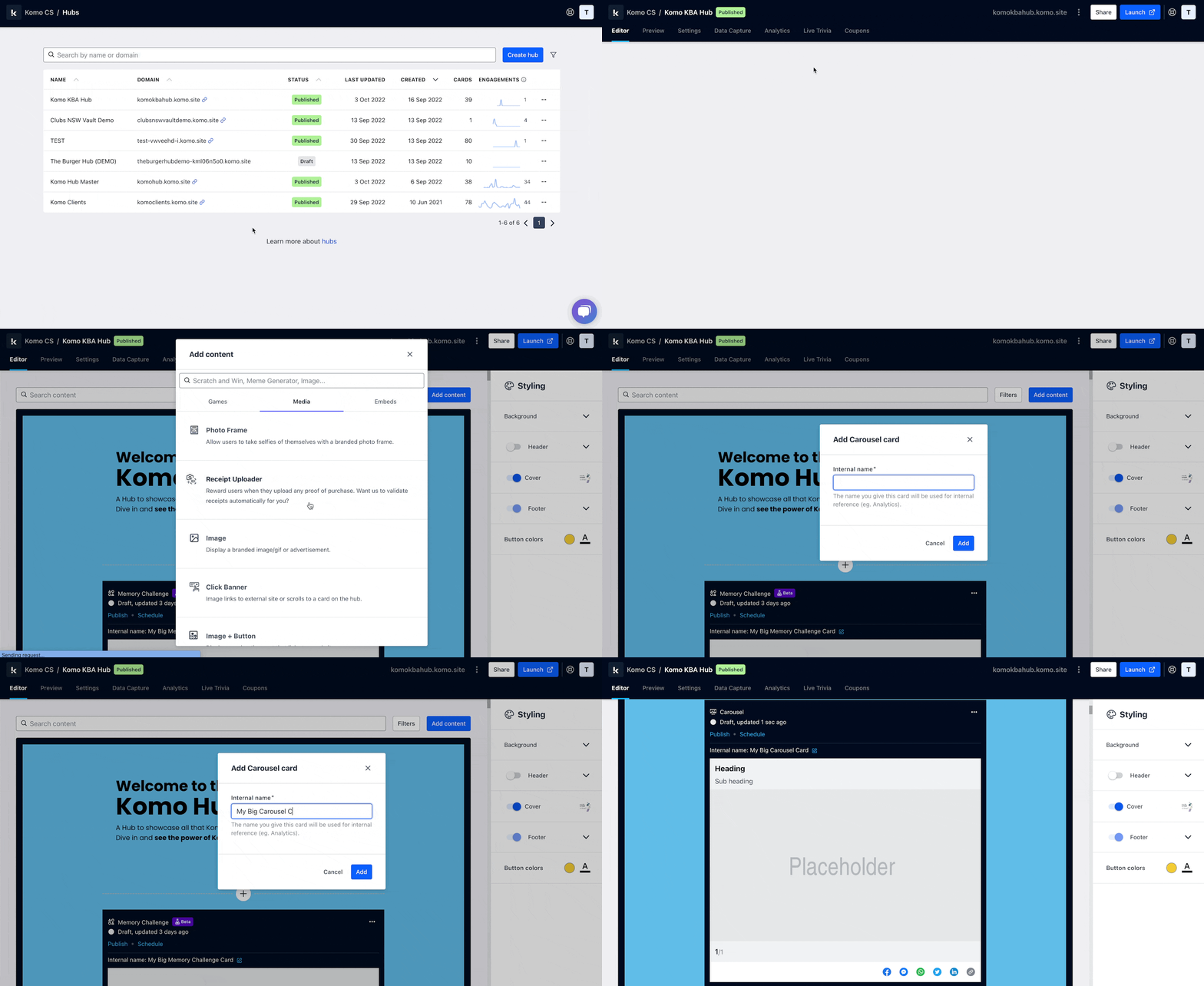
- Navigate to your Engagement Hub
- Once there click Add Content, from here select Media and then Carousel
- You will then see your new card has been added to your Engagement Hub
Step 2: Add your Carousel content
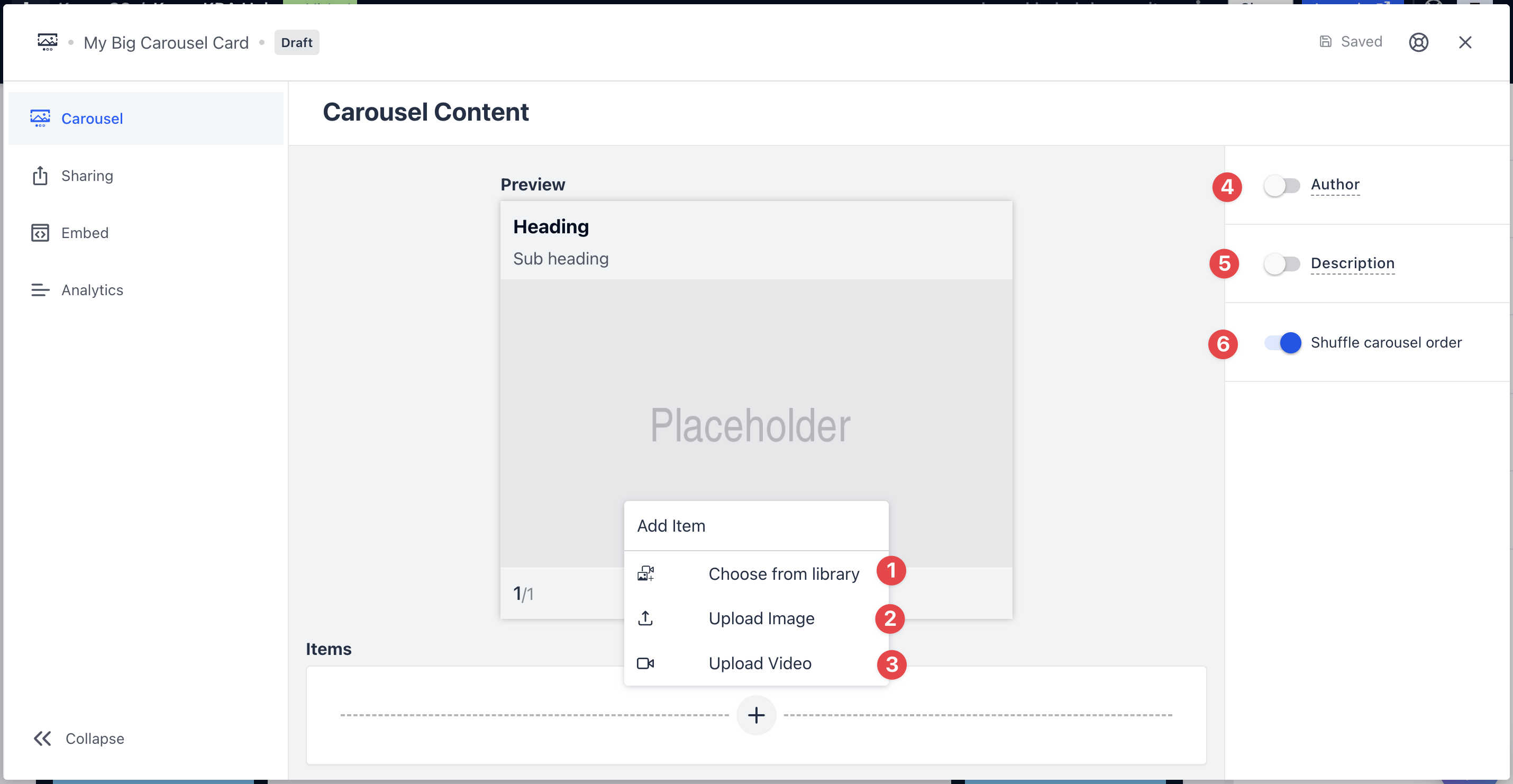
- Clicking on the Carousel will open the editing module
- (1) Clicking on the plus icon, you can add to your card by choosing content from your Hub’s asset library. Content collected through the Upload card once approved will be added to your Hub’s asset library
- (2) Clicking here will allow you to upload content from your computer
-
(3) Here you can upload a video from your device or using a video URL. Learn more on how to get a video URL here
Carousel Items
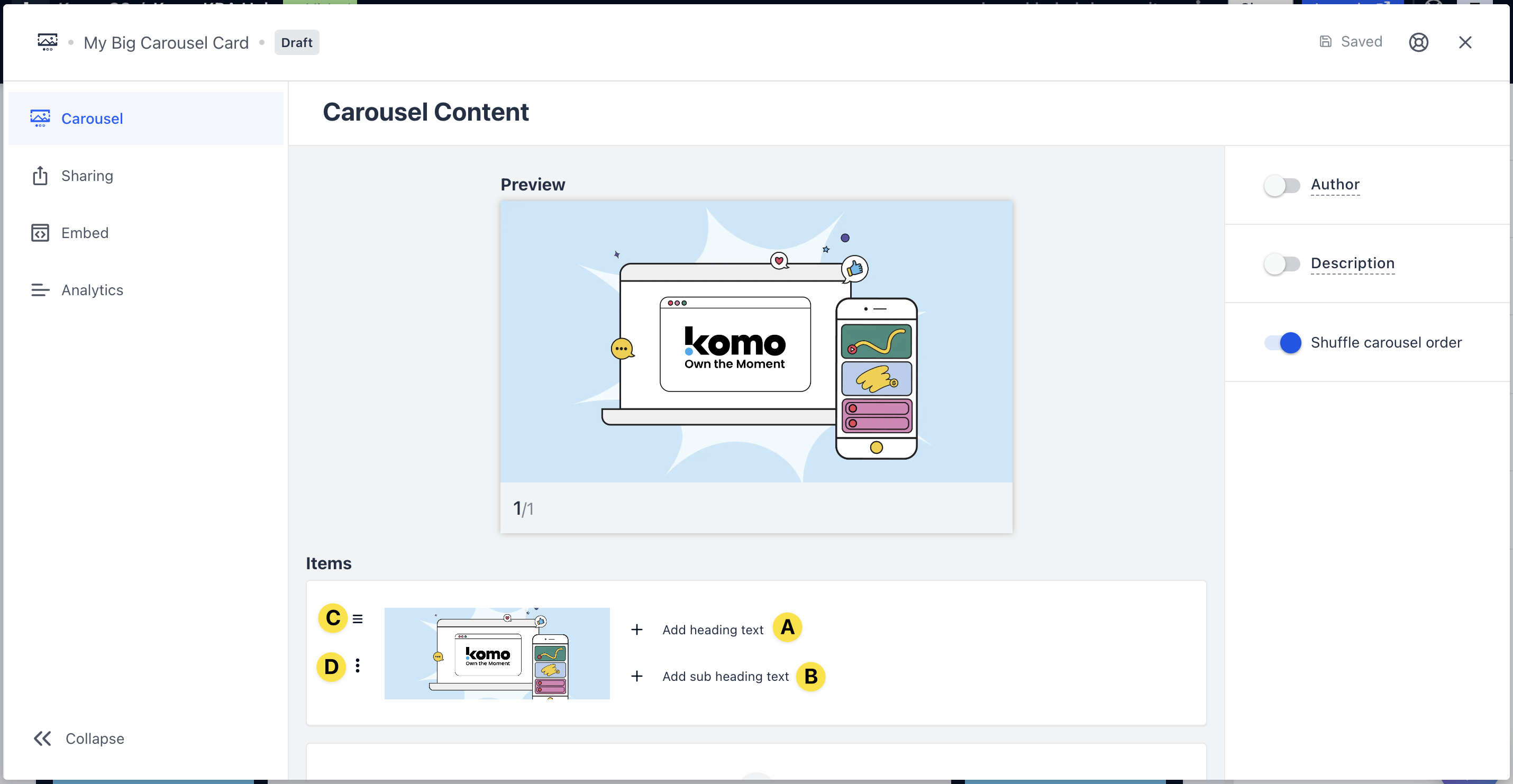
- (A) Here you can add a header text that will appear above the piece of content in the Carousel which will update in the preview above
- (B) Add in the subheader text that appears above that piece of content which will update in the preview above
- (C) Use this option to rearrange content in the Carousel
- (D) Clicking here you can delete content
- (4) You can add an author tag by displaying the brand or person who’s responsible for the card content
- (5) Add a description to the card
- (6) Toggling this option will shuffle the order of content within the Carousel
Step 3: Publish your card
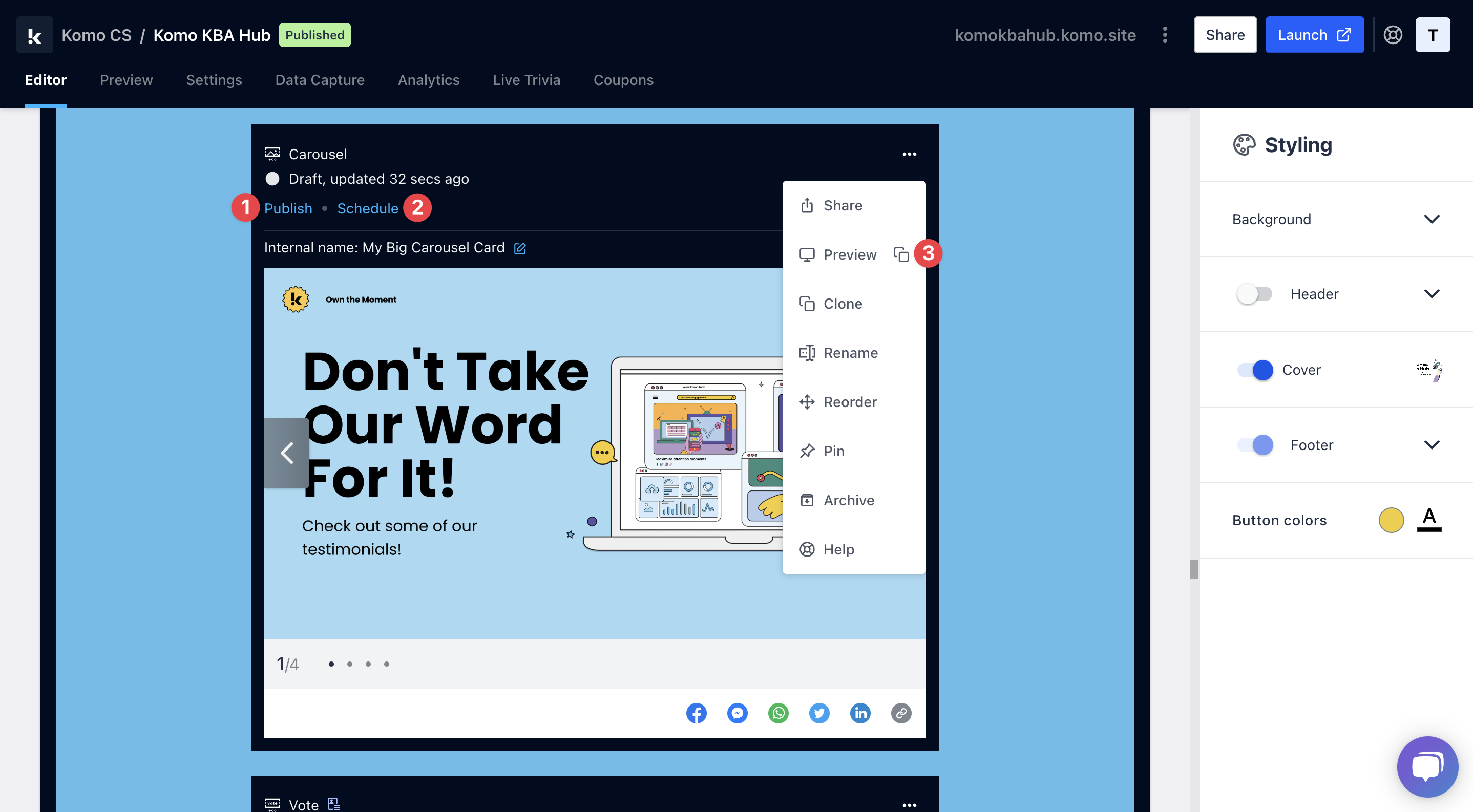 Once you’ve completed all of these steps, played around with your card and are happy with all the aspects of your card, it’s time to get your card live!
- (1) Publish your card manually and instantly for the world to see.
- (2) Schedule your card to be published and unpublished at set dates and times.
- (3) Click on … to Preview and interact with the card on the front end from a user’s perspective before publishing it. See how to test your card here.
All competition entries will be recorded and will impact the card analytics.
Card Design Guidelines
Promotion
Stuck on how to promote your activation?
FAQ
What’s the difference between a Carousel Card and a Vote Card? The primary difference is that with a Vote Card, a data capture can be added and Engagement Hub users can vote on their favourite piece of content. However, with a Carousel Card, hub users can simply scroll through and view the uploaded content. What files can I upload? You can upload the following file formats into the carousel card:- Images: png, gif, jpeg, jpg, webp, pdf
- Videos: mp4, 3gpp, mpeg, ogg, quicktime, webm, m4v