
Tag Management
Integrations are what we define as another piece of software that you can connect to the Komo Platform in order to perform a specific action - these are built into our Platform. For example, here is a selection of the available built-in integrations on the Portal and their functions:- Adobe Launch Tag Manager - Connect Adobe Analytics and other technologies to your hub using the Adobe Launch tag manager.
- Google Tag Manager - Connect Google Analytics and other technologies to your hub using Google Tag Manager (GTM).
- OneTrust Cookie Consent - Connect OneTrust Cookie Consent to your hub to configure branded banners using unique consent approaches.
- OAuth Single Sign On (SSO) - Enable SSO integration with an OAuth2-compatible provider like Google or Auth0.
How do I set up an in-built integration?
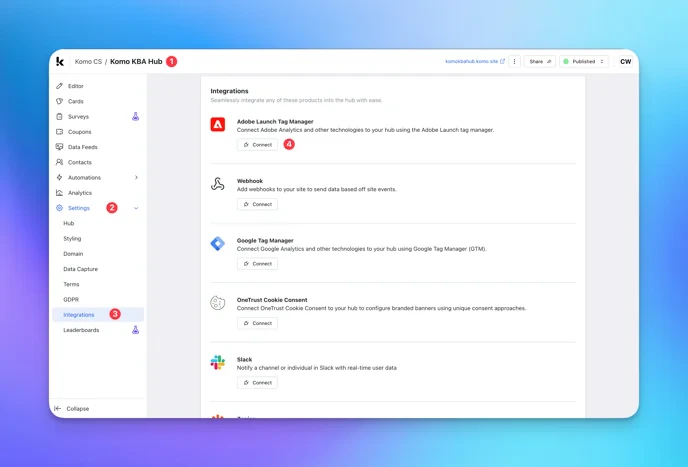
- (1) Navigate to your Engagement Hub.
- (2) Find the Settings tab on the left hand side of your screen.
- (3) Click on the Integrations tab within Settings.
- (4) Find the Integration you wish to set up and click the Connect button.
Connect an Integration
Connect an Integration
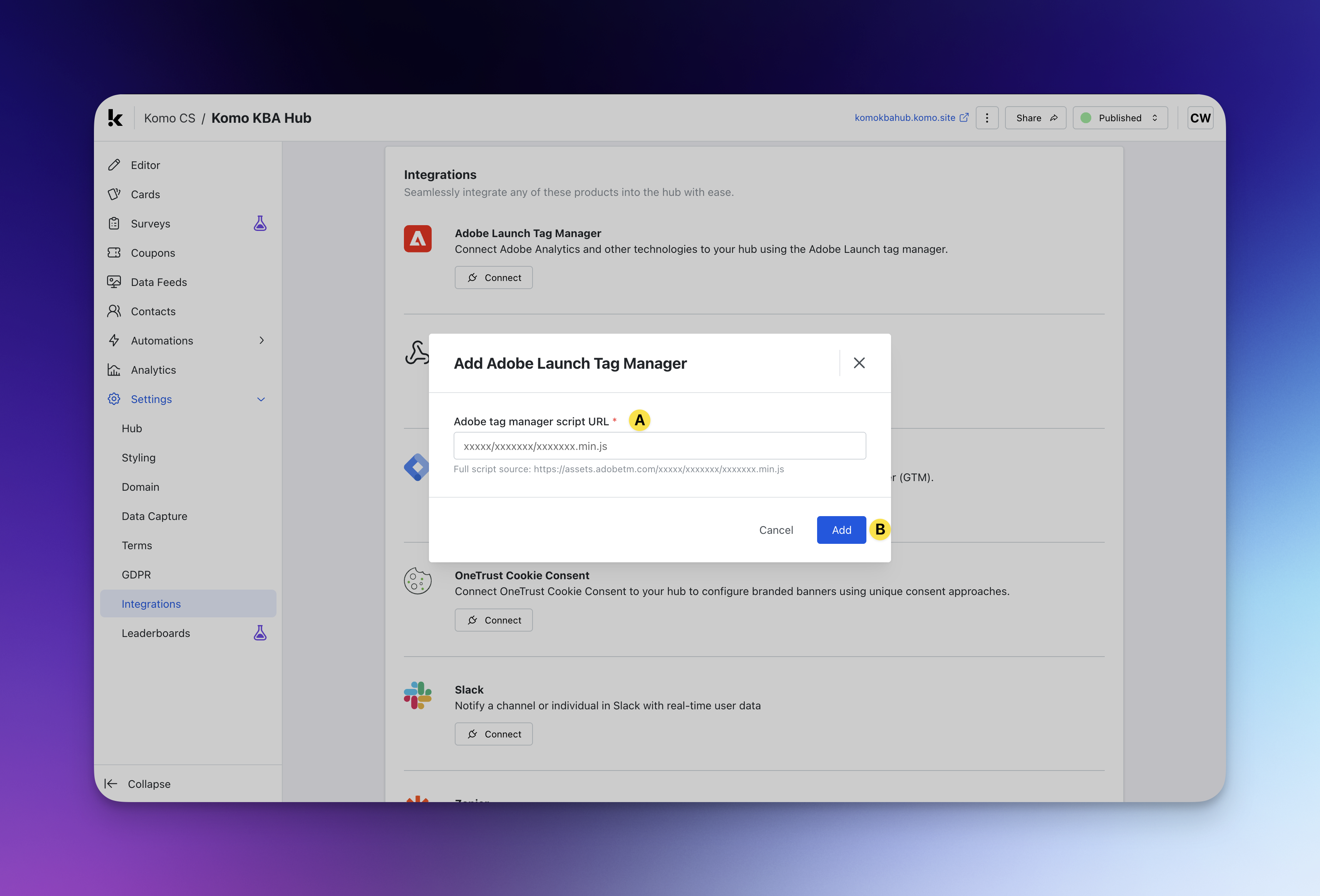
- (A) Follow the instructions on-screen to configure your integration. For this step, you will often need some kind of Client ID, Domain or URL from the software you are integrating with.
- (B) Click Add to implement your integration.