
What is it?
Entry Throttling is a method for users to enter a competition every X amount of hours or days. This feature can be set up to be relative to the user’s last entry or from the time the card is published. It is available on any card you can add a data capture form. You may want to use this feature to allow users to register for a competition on a particular card multiple times throughout your campaign. It is also helpful if you wanted to provide the opportunity for users to receive a coupon every X period of time, continually driving traffic to your business. We recommend using entry throttling when you want to limit and prevent coupon exhaustion.How do I set it up?
Step 1: Add a data capture
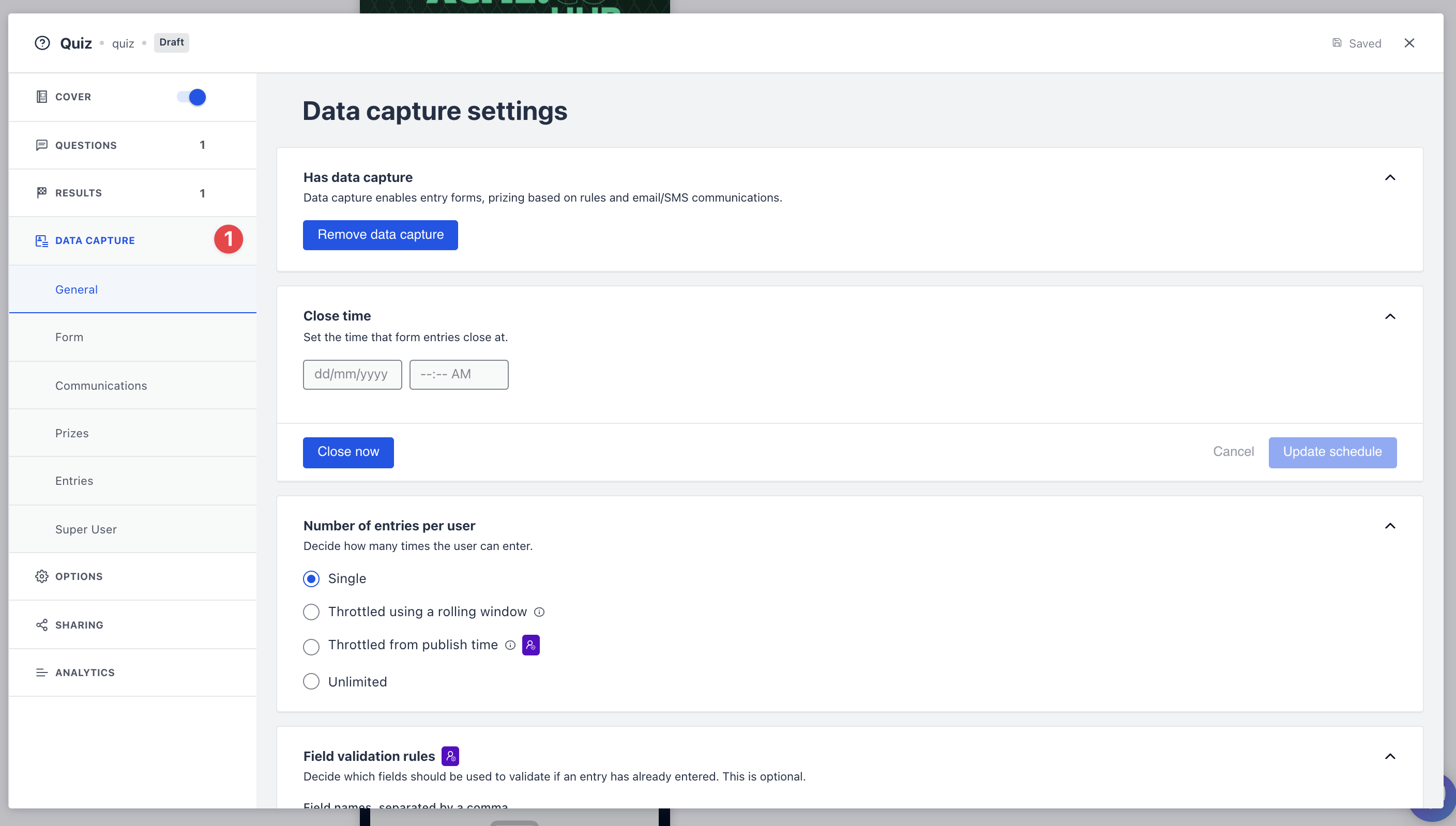
- Clicking on the card will open the editing module
- (1) Click here to add a Data capture
Step 2: Configure your settings
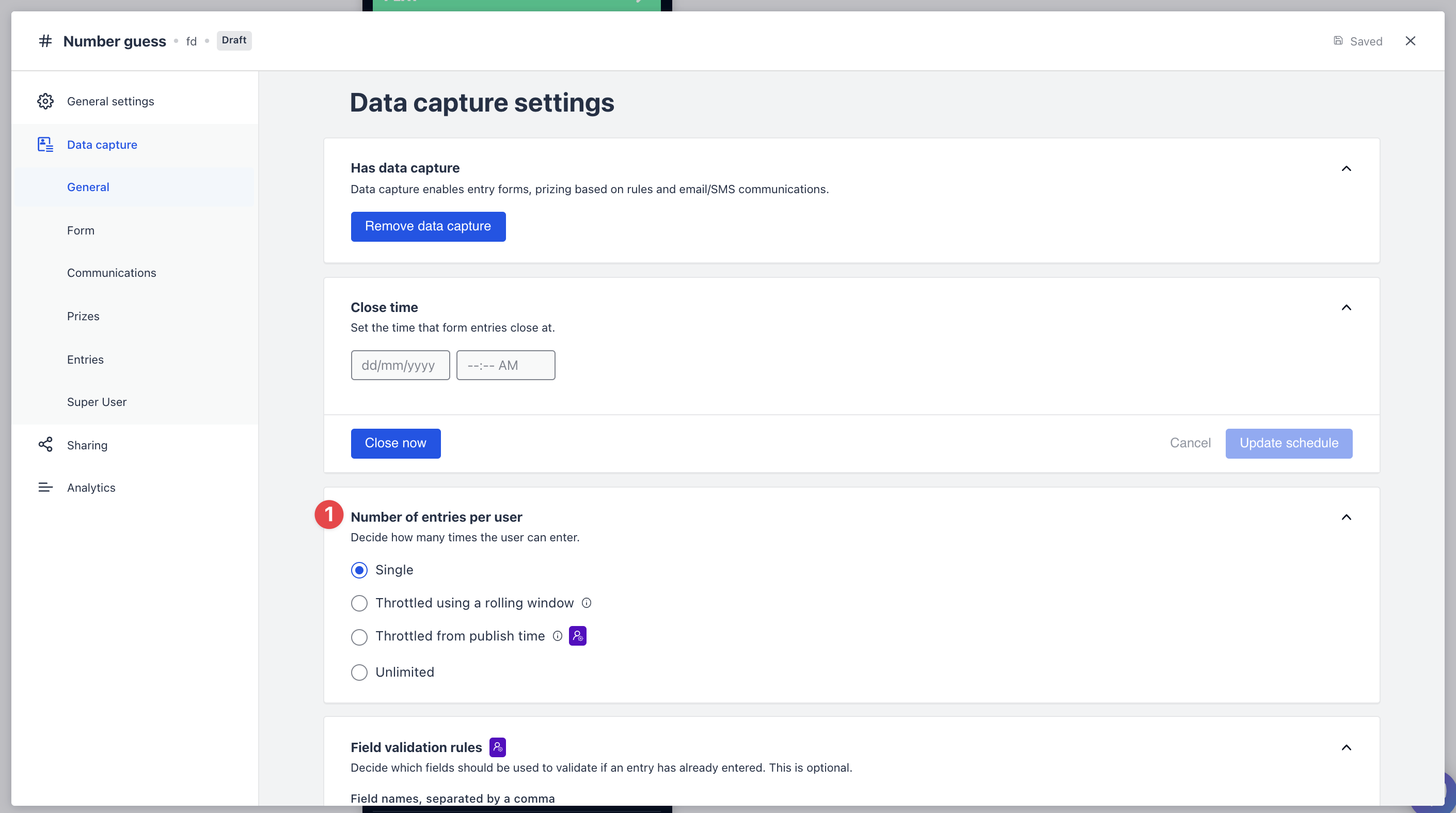 (1) Navigate to the “Number of entries per user” section.
- “Throttled using a rolling window” sets the next time a user can enter the competition relative to their last submission
- “Throttled from publish time” set the next time a user can enter relative to the time the card was published
- Once you have adjusted these settings click “Publish”